Notes Local Security Removal9.10.01
Publisher Description
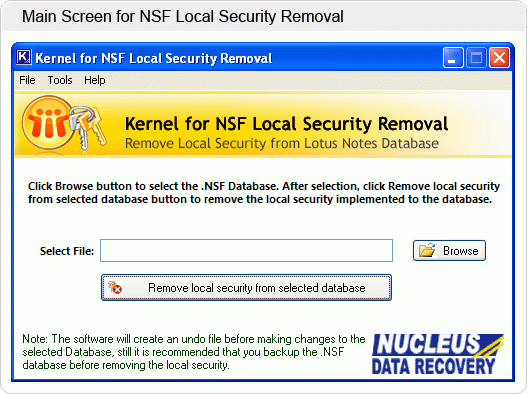
Lotus Notes users can protect their mailbox information by imposing local security conditions in Notes NSF files. However, other users of the same organization cannot open restricted NSF databases at the time of needs. Kernel for NSF security removal effectively unlocks locally secured NSF databases of Lotus Domino organizations.
Notes local security removal software undo local security parameters of the Lotus Notes database and make that file ready for access by other genuine users. However, it cannot unlock password protected and encrypted NSF databases. Kernel for NSF local security removal keep original data formatting and structure intact in unrestricted Notes databases. It is integrated with quick GUI feature and therefore extremely easy to operate.
Notes local security removal tool unprotect restricted NSF files of Lotus Notes 6.0, 6.5, 7.0 and higher versions. It is compatible with MS Windows 2000, XP, Vista, 2003, 7 and 8 versions. Evaluation version of Notes local security removal software is also available on internet that can undo local restrictions of NSF file less than 5 MB in size. You must purchase the licensed version of software to remove security restrictions of NSF files greater than 5 MB size. For more details: www.noteslocalsecurity.net
About Notes Local Security Removal
This Encryption Tools program is available in English. It was last updated on 29 September, 2026. Notes Local Security Removal is compatible with the following operating systems: Windows.
The company that develops Notes Local Security Removal is www.noteslocalsecurity.net. The latest version released by its developer is 9.10.01. This version was rated by 1 users of our site and has an average rating of 5.0.
The download we have available for Notes Local Security Removal has a file size of 1.0 MB. Just click the green Download button above to start the downloading process. The program is listed on our website since 2013-09-02 and was downloaded 52 times. We have already checked if the download link is safe, however for your own protection we recommend that you scan the downloaded software with your antivirus. Your antivirus may detect the Notes Local Security Removal as malware if the download link is broken.
How to install Notes Local Security Removal on your Windows device:
- Click on the Download button on our website. This will start the download from the website of the developer.
- Once the Notes Local Security Removal is downloaded click on it to start the setup process (assuming you are on a desktop computer).
- When the installation is finished you should be able to see and run the program.
